For plastic surgeons, cosmetic surgeons and med spas
Know how your practice is doing before your first patient.
Your team keeps every patient on one board, and PatientCadence turns it into short reports in your inbox: who is still waiting for a call, which procedures are booking, and what collections to expect. No logging in, and no asking anyone to pull a report.
It also answers your phone and runs the follow up from first contact to surgery day.
Want to hear Ava first? Call (725) 338-7391
Before I see my first patient, one email shows me which inquiries are still waiting, and my weekly report shows which procedures are booking. We built PatientCadence in my practice so I never have to log in or ask anyone to pull a report.
The morning email
Every morning, one email lists every inquiry your team hasn't handled yet, longest wait first.
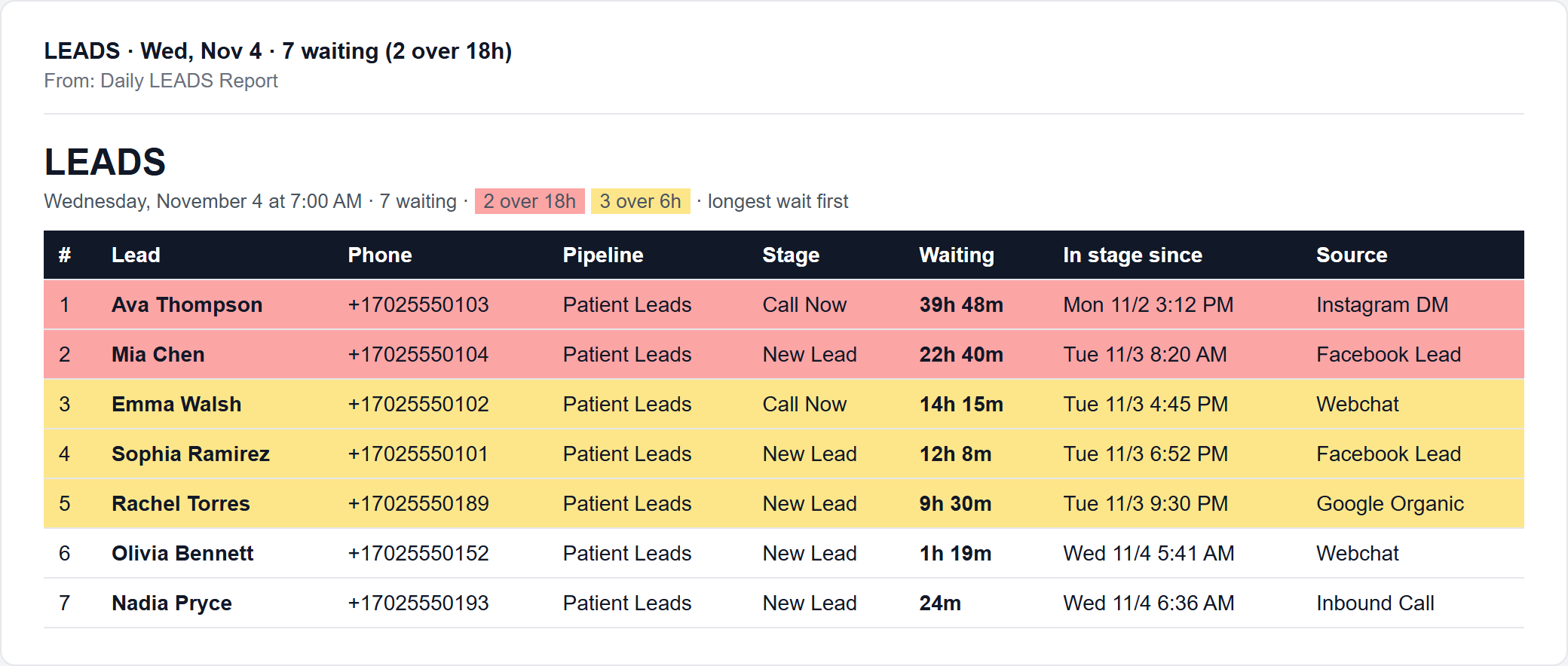
Sample of the morning email. The patients and phone numbers are made up.
The board
One board your team keeps current
You'll see names from the email here, sorted by where they are. Your team moves each patient along, and the reports read straight off this board.
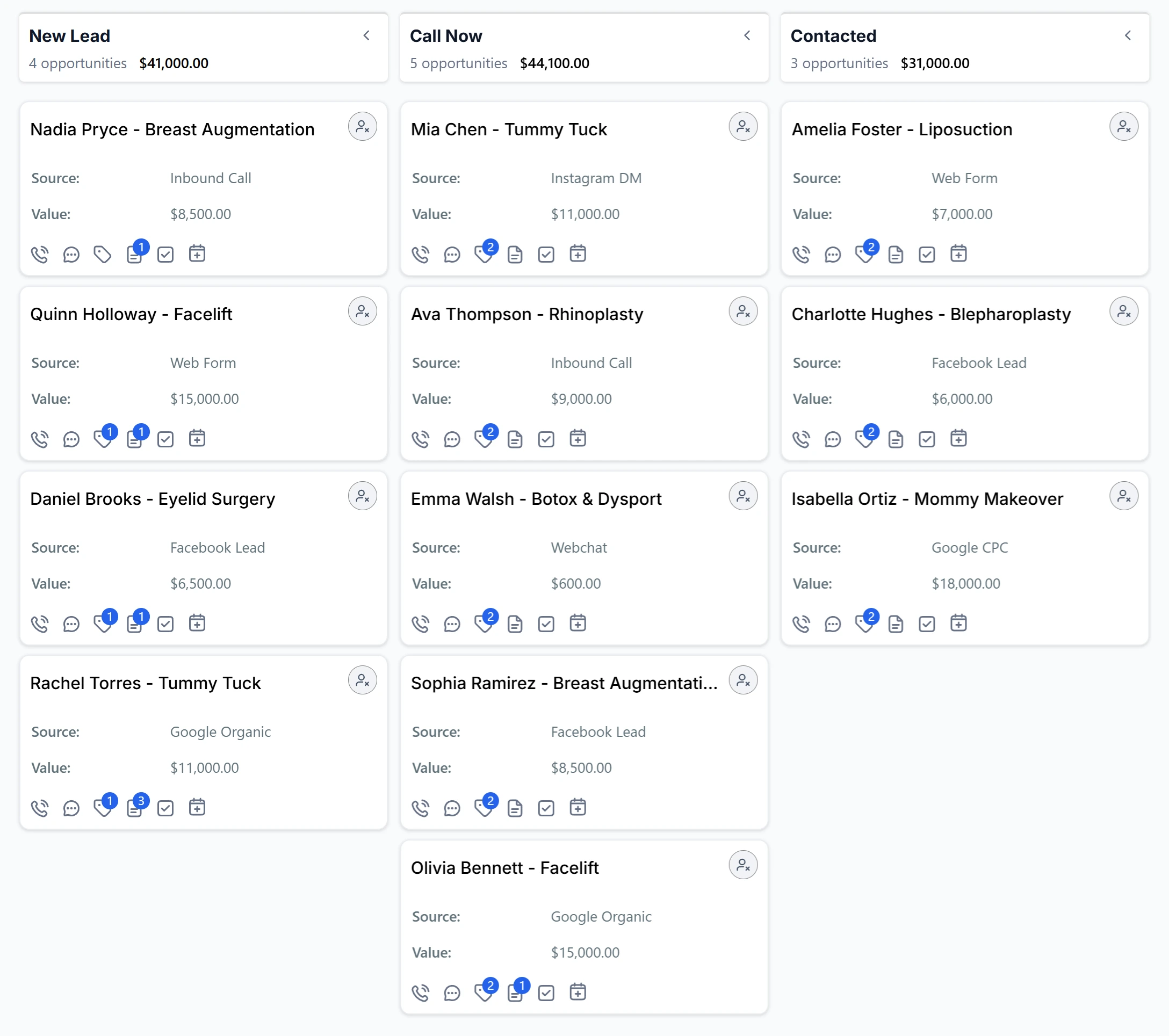
The real board, from the Summit Aesthetic Surgery demo account.
The reports
What lands in your inbox
The morning email is one of four.
Every morning: who is still waiting
Every new inquiry nobody has handled yet, longest wait first, red past 18 hours and yellow past 6. Your team starts the day knowing who to call first.
Every week: where patients get stuck
Every open patient by stage, longest in stage first, and a conversion report: how many inquiries reach a consult and book surgery, and how many days patients take from consult to decision, broken out by procedure.
Every month: what is coming in
Patients who have a quote and haven't decided yet, with the value of each and how long they have been waiting, so your coordinator has a focused follow up list. Plus deposits and balances due on scheduled surgeries, so you know what collections to expect.
Every month: collections, reconciled
Every payment received last month with how it was paid (card, ACH, cash or Cherry financing) and the Square or Stripe bank deposit it landed in, with a spreadsheet copy for your bookkeeper.
Each practice picks which reports it gets, who receives them and when.
How it works
What happens to one inquiry
- 0:00
Ava picks up
Day or night, your AI receptionist answers in your practice name, asks what the caller is interested in, and takes their name, cell and email. She reads them back so nothing is misspelled.
Hear it yourselfCall (725) 338-7391 and ask about a procedure. - 0:01
The card lands on your board
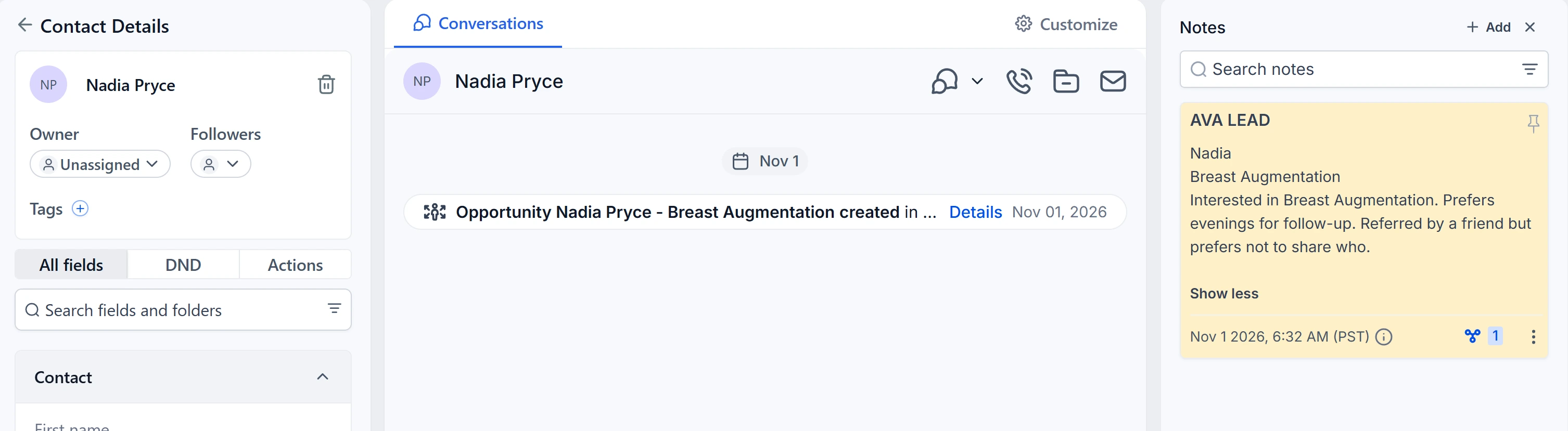
The moment the call ends, the caller appears in New Lead with a short summary of what they asked about. No one types anything.
- 0:02
Your coordinator gets the alert
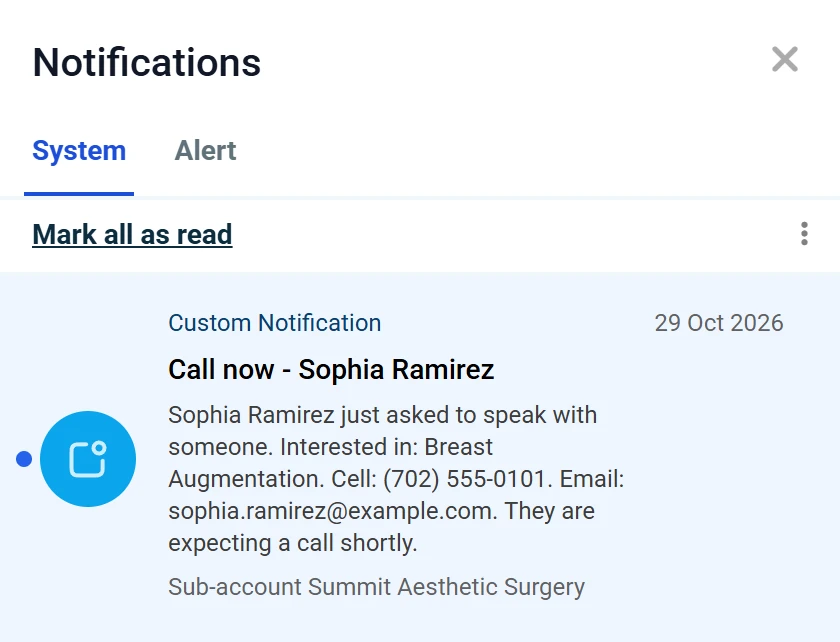
Move a lead to Call Now and the bell rings and an email goes out within seconds. If it is still sitting there ten minutes later, a second alert goes out.
- Day 1+
Follow up runs itself
Texts and emails go out on their own at every stage, from pre-consult through payment link to the consult itself. Your team only steps in when a patient needs a person.
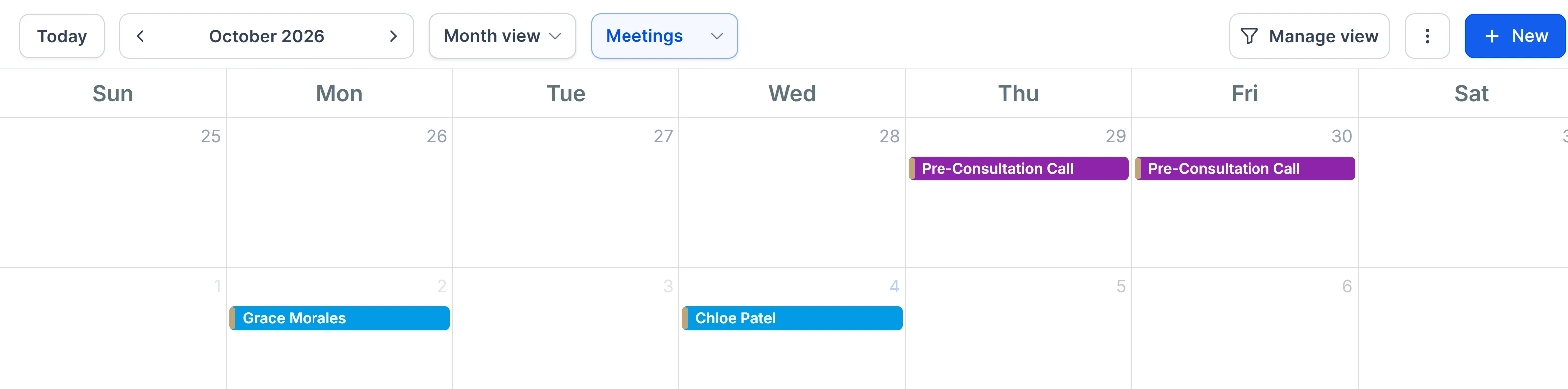
- Surgery
Booked patients stay on track
Once a patient commits, they move to a second board: deposit, pre-op, labs, ready, done, review. Everyone can see who is waiting on what.
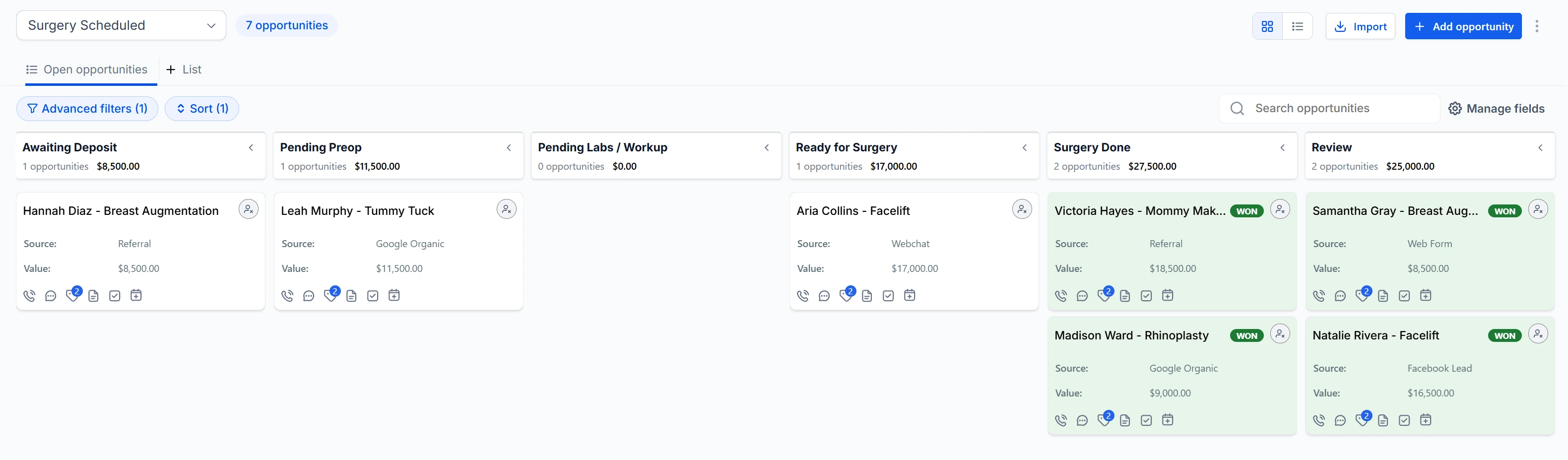
Two boards, the whole patient journey
Your team sees exactly where every patient is
Patient Leads
From first inquiry to the surgery decision.
- New Lead
- Call Now
- Contacted
- PreConsult Booked
- PreConsult Done
- Payment Link Sent
- Consult Booked
Surgery Scheduled
From deposit to post-op review.
- Awaiting Deposit
- Pending Preop
- Pending Labs / Workup
- Ready for Surgery
- Surgery Done
- Review
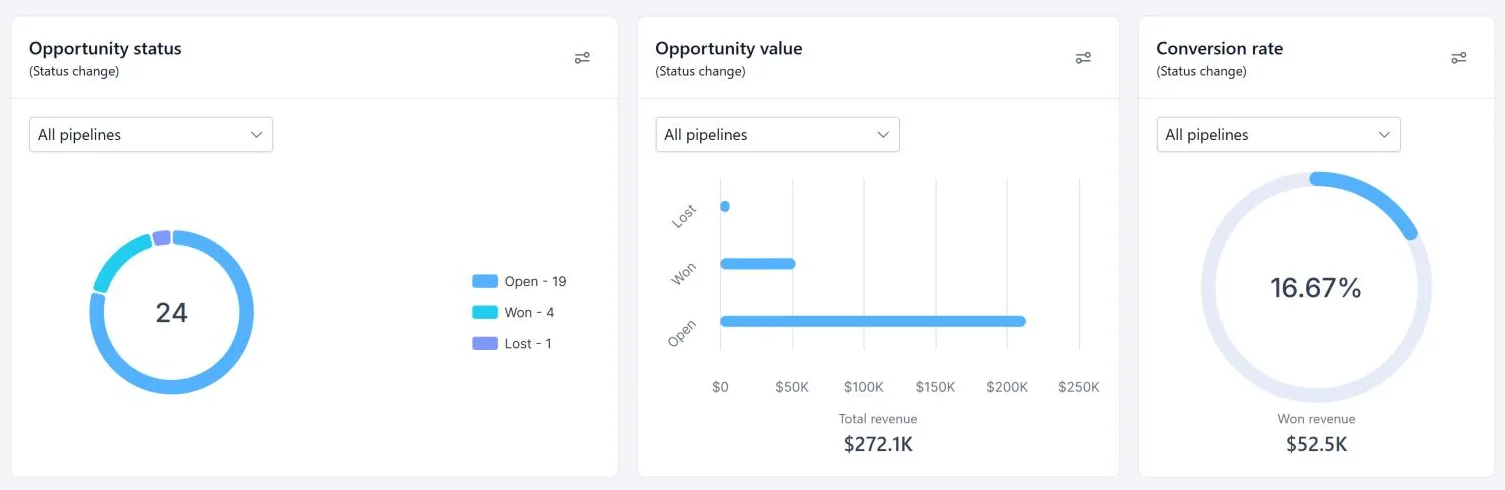
The reports above, in your inbox. Nothing to log in to.
Every board, every calendar, every conversation in one place.
Just the screens they use every day. Nothing to get lost in.
Built in a practice
Not designed by a software company
PatientCadence was built inside a working facial plastic surgery practice, for its own front desk. Every stage, script and alert exists because a real coordinator needed it, and the practice still runs on it every day. The surgeon who built it is the one quoted at the top of this page.
Pricing
Simple monthly pricing, set up for you
Core CRM
$799/month
$5,000 setup
CRM with Ava
$959/month
$7,000 setup
Questions practices ask
- Is it HIPAA compliant?
- PatientCadence runs on HighLevel's HIPAA-enabled platform, covered by a signed BAA with HighLevel. We sign a BAA with your practice before any patient information goes in.
- Does it replace my EMR?
- No. It sits in front of your EMR and handles everything before an inquiry becomes a patient.
- Will Ava quote prices or book my calendar?
- No, on purpose. She captures and qualifies the caller. Your coordinator has the pricing conversation and books the consult.
- Who sets it up?
- We do. Your scripts, your stages and your staff logins set by role, in about a week.
See it on your own practice
Twenty minutes. We walk one patient from first call to surgery on a live account, and you call Ava yourself.