Connect your software to PatientCadence
When a practice connects your tool, the leads, notes and PDFs it sends land in that practice's PatientCadence, on its board and in the patient's record, where the team already works.
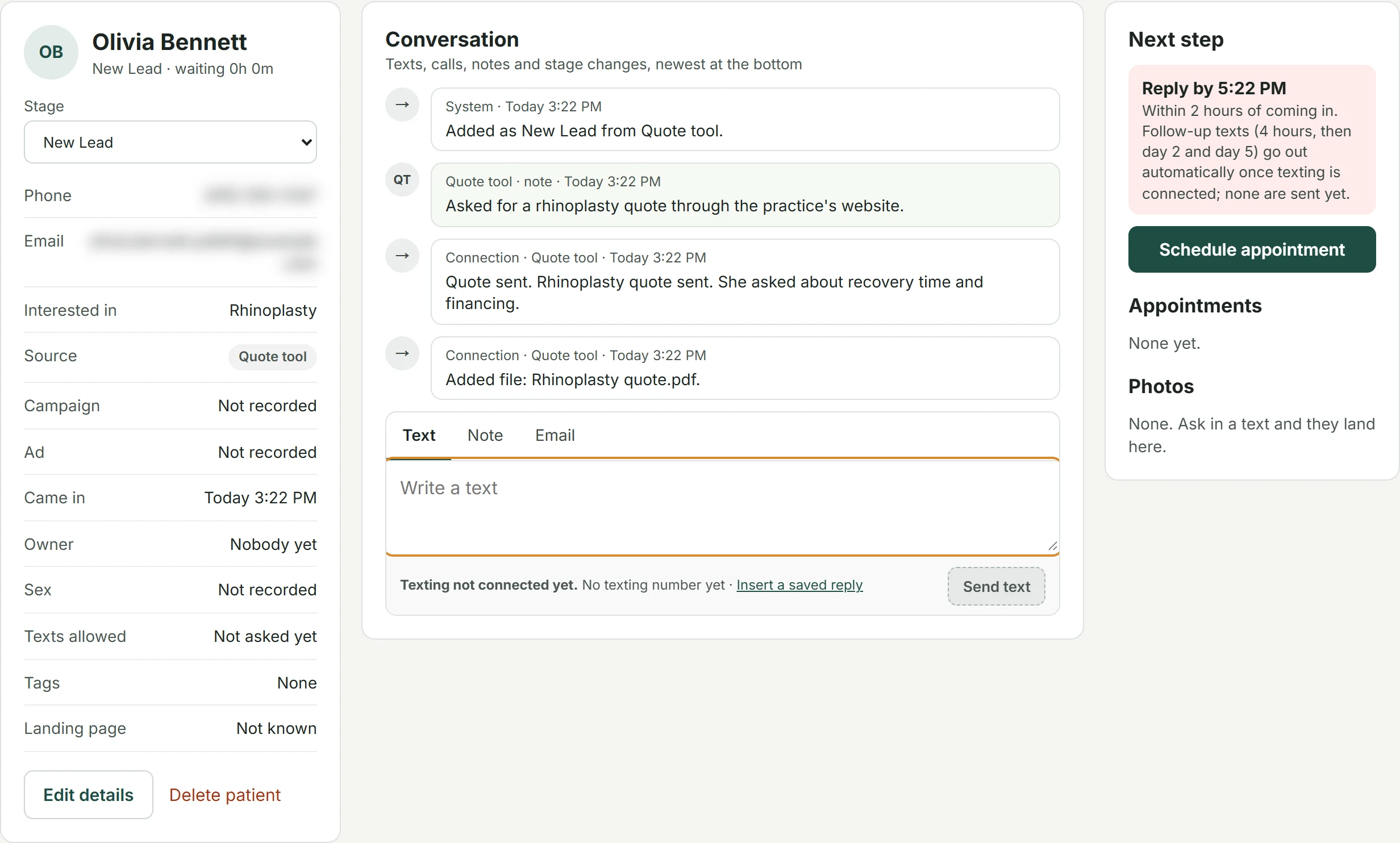
A demo patient whose lead came in from a connected tool: the tool's name as Source, its note and its PDF on the timeline. From a demo practice made for these pictures; phone and email blurred.
What your software can do
Four things, each shown as the practice sees it.
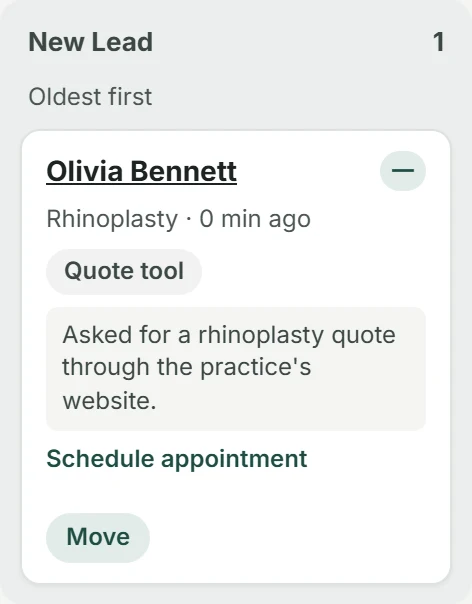
Add new leads
Your lead lands on the practice's board as a New Lead, with your tool's name as its source. If the patient is already there (same email or phone), nothing is entered twice: your note goes on the patient they have.
Add a note to the timeline
Your note appears in the patient's conversation, marked with your tool's name.

Attach a PDF
A quote, estimate or signed form goes in the patient's Files, marked with your tool's name, and the timeline shows it was added.

Find a patient
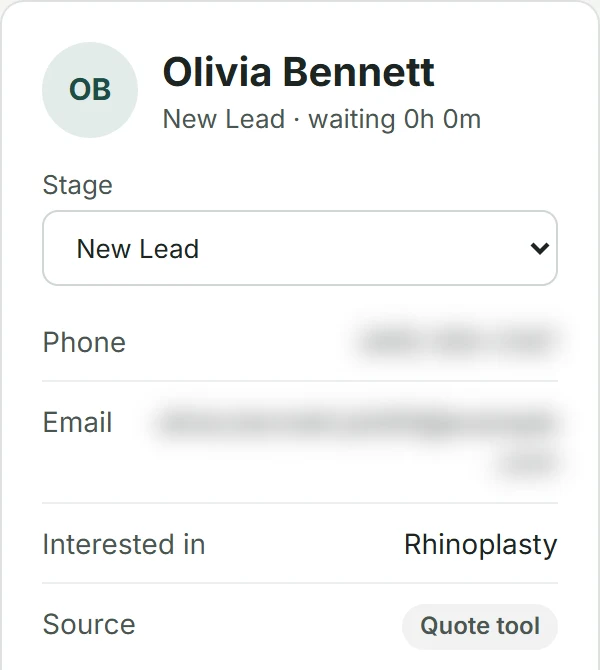
Look a patient up by name, email or phone before you send anything. This is the record your tool found.
What happens when your lead arrives
Your lead is handled like any other new lead the practice gets.
The team's new-lead alert
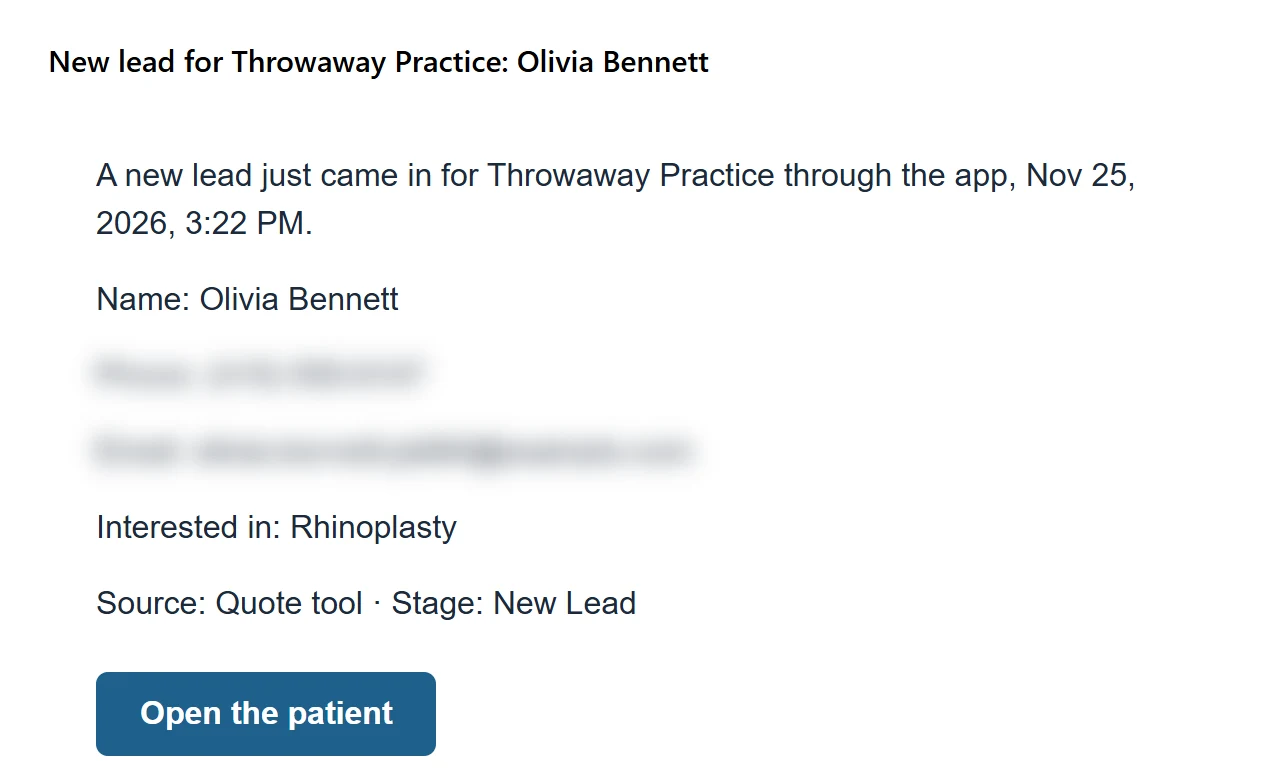
The alert email names the patient, what they asked about and your tool as the source, with a button to open the record.
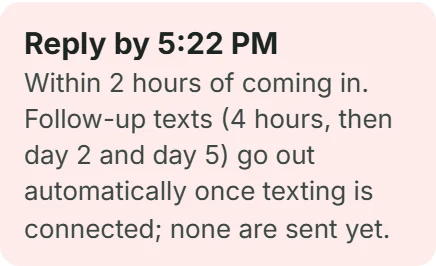
A Reply by countdown
The record shows when the team should reply, counted from the moment your lead came in. Each practice sets its own goal.
How it works
- The practice's admin makes a key for your tool in PatientCadence.
- Your tool sends leads, notes and PDFs with that key.
- They show up in the practice's PatientCadence, on the board and in the patient's record.
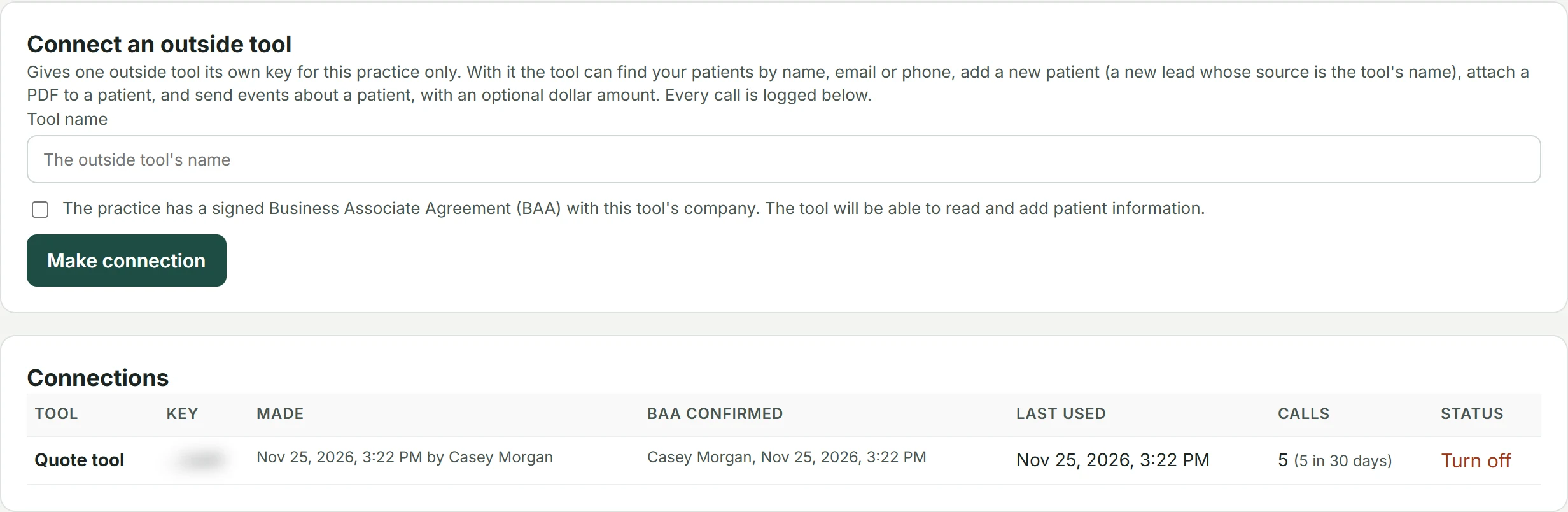
Where the practice's admin makes your key, and can turn it off. The key itself is shown once, to the admin only.
Built for patient data
- Each practice makes its own key for your tool.
- A key reaches only that practice's patients.
- Every call is logged, whether it worked or not.
- Each key has limits on how often your tool can call.
- The practice can switch a key off at any time.
- Before a key is made, the practice confirms it has a signed Business Associate Agreement (BAA) with your company.
Good fits
- Quote and estimate tools
- Website forms and chat
- Consultation booking
- Financing
- Photo and imaging